Email marketing automation lets you send personalised, relevant emails to your subscribers at the right time, without manually triggering each one. The time savings are real, and so is the lift in engagement. The harder question is where to start.
Building your first email journey raises a lot of questions. What content belongs in each step? What should the overall flow look like? How long should the delays be between steps? Where does it make sense to split the journey based on subscriber behaviour? If you've never done this before, it can feel like learning a new skill from scratch.
To make that easier, TouchBasePro includes a series of Journey Guides built directly into the platform. Each guide is based on email marketing best practices and drawn from what has worked for our customers. They give you a clear starting point so you spend less time guessing and more time sending.
Discovering Journeys
The guides live inside the platform, so you don't need to keep this blog open in another tab. Head to the Automation tab and choose to create a new journey. From there you'll see two options: build a new journey from scratch, or browse existing journey ideas.
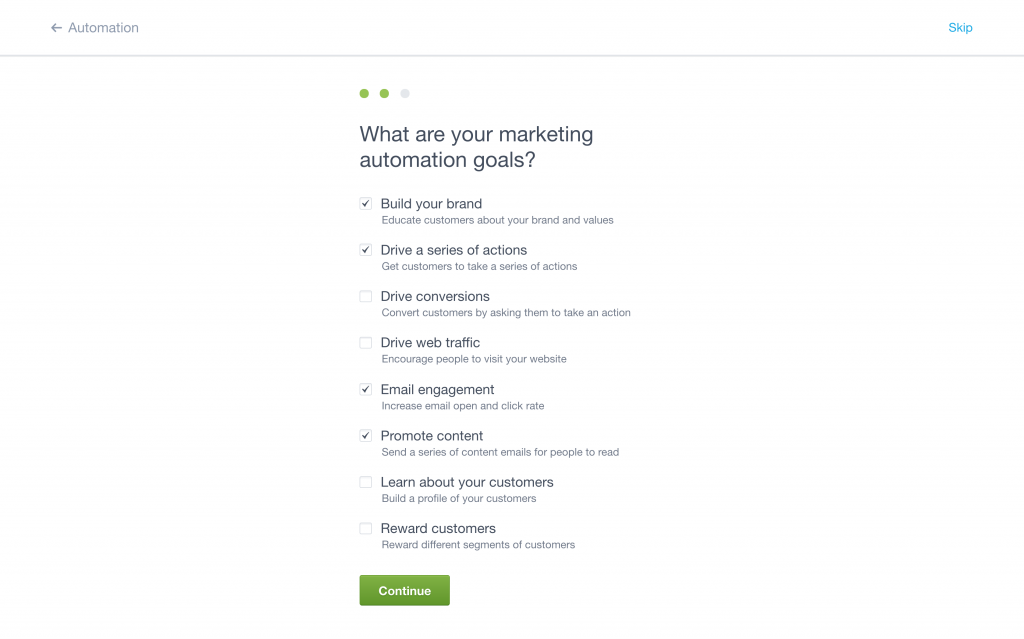
When you browse, the platform asks a few quick questions about your industry, your marketing goals, and the customers you're targeting. Answer those and we'll surface the journeys most likely to fit your situation.
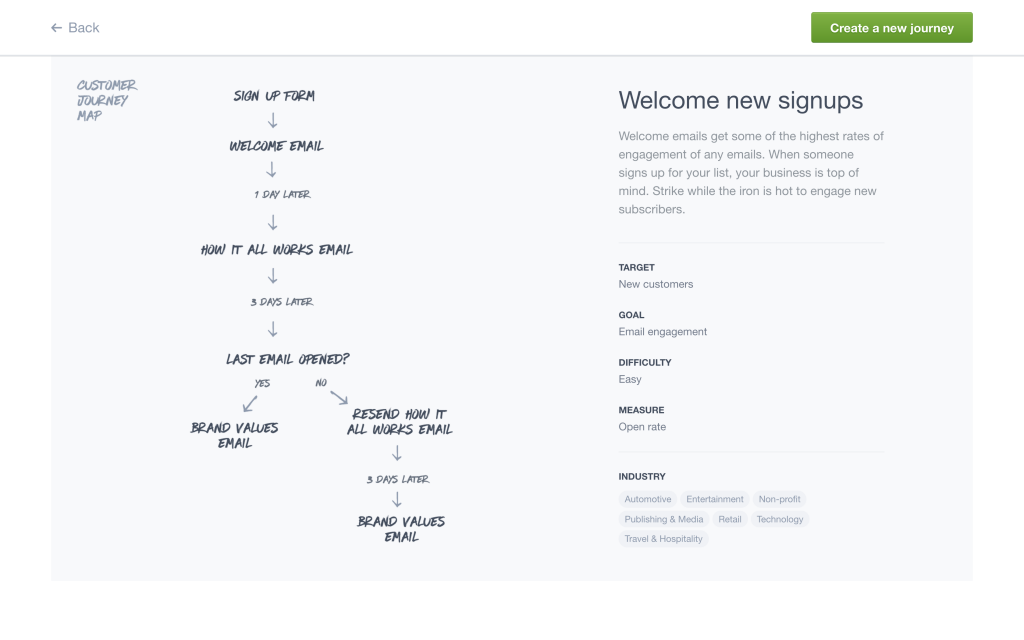
You can also use the filters on the left to explore journeys across other categories. Each journey shows you the full flow, the content to consider at each step, and the setup decisions you'll need to make. Step-by-step instructions for building your chosen journey in the visual journey designer are included as well.
Email Marketing: Not Just for Newsletters
A monthly mailer is one use of email marketing. Automation is another, and it's where the real value sits. Journey Guides lower the barrier to getting started, so there's no reason to put it off.
Frequently asked questions
- What are Journey Guides in TouchBasePro?
- Journey Guides are step-by-step email automation templates built into the TouchBasePro platform. They are based on email marketing best practices and recommend journey structures based on your industry, goals, and target audience.
- Where do I find Journey Guides in the platform?
- Go to the Automation tab and select the option to create a new journey. You'll see a prompt to either build from scratch or browse existing journey ideas, where the guides are found.
- Do I need prior experience with email automation to use Journey Guides?
- No. The guides are designed for marketers who are new to automation. Each one includes a flow overview, content guidance, setup considerations, and step-by-step instructions for the visual journey designer.