Email marketing covers a lot of ground, and TouchBasePro is built to handle most of it. If you have not explored all of the platform yet, here are 10 features worth knowing about.
1. Design full-width emails with Hero Images
Big, bold hero images give your campaigns more visual impact and help your brand stand out in the inbox. TouchBasePro supports full-width hero image layouts so you can build them without writing a line of code.
Show me how to add hero images
2. Build responsive emails with our drag-and-drop template builder
More than half of emails are opened on mobile. TouchBasePro's drag-and-drop builder produces responsive templates that adjust automatically to any screen size.
Why mobile-friendly campaigns matter
3. Personalise at scale with Dynamic Content
Dynamic content lets you show different content blocks to different subscribers within a single campaign, based on their data. The result is more relevant emails and better engagement.
Here's why you should be using Dynamic Content
4. Check how your campaign looks before you send with Inbox Previews
Before you hit send, run a Design and Spam test. It shows you how your email renders across multiple email clients and flags any spam issues, so you are not guessing.
See what the Design and Spam Test can do
5. Automate your customer journeys
From a simple welcome email to a multi-step retention series, TouchBasePro's automation journeys let you set up triggered email sequences without manual effort.
Getting started with Journeys | Why automation matters
6. Run A/B tests to find what works
What landed well six months ago may be underperforming now. A/B testing subject lines, content, or send times gives you actual data to guide your decisions, rather than gut feel.
A/B tests you should be running | How to run a successful A/B test
7. Make your transactional emails work harder
Order confirmations, password resets, and receipts are opened at high rates. TouchBasePro lets you brand and optimise these emails so they do more than just confirm a transaction.
The beginner's guide to transactional emails | Grow your business with transactional emails
8. Grow your database with subscribe apps
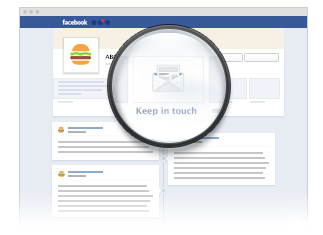
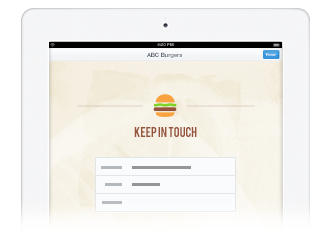
List attrition is a fact of life. TouchBasePro's subscribe forms for websites, Facebook, and iPad help you bring in new subscribers steadily so your database keeps growing.
Grow your list with our database apps | Optimise your subscribe form
9. Connect your campaigns to Google Analytics
TouchBasePro integrates with Google Analytics so you can track subscriber behaviour from the inbox all the way through to your website and checkout. It gives you a clearer picture of the revenue your emails are actually driving.
Learn how to add Google Analytics tracking
10. Authenticate your domain to improve deliverability
Domain authentication, setting up SPF, DKIM, and DMARC records, tells receiving mail servers that your emails are legitimate. It is one of the most direct steps you can take to improve inbox placement and protect your sender reputation.
Frequently asked questions
- Does TouchBasePro support automated email journeys?
- Yes. TouchBasePro includes an automation journeys feature that lets you build triggered email sequences, from a single welcome email to a multi-step lifecycle series, without manual sending.
- How can I check how my email looks across different email clients before sending?
- TouchBasePro's Design and Spam test includes inbox previews that show you how your campaign renders across multiple email clients and programs, and flags potential spam issues.
- What is domain authentication and why does it matter?
- Domain authentication involves setting up SPF, DKIM, and DMARC records for your sending domain. It tells mail servers your emails are legitimate, which improves inbox placement and protects your sender reputation.
- Can I track email campaign performance in Google Analytics?
- Yes. TouchBasePro integrates with Google Analytics, allowing you to track subscriber behaviour from email open through to website activity and purchases.