How to Import Subscribers to a List in TouchBasePro
Import subscribers from a file into any TouchBasePro list by uploading an XLS, CSV, or TXT file and matching your file columns to your list fields.
You can import subscribers using a number of file formats. Accepted file types include:
- xls
- csv
- txt
By adding people to a subscriber list, you are asserting that you have permission to email them. If you're not sure, read more about what counts as permission to send. Importing subscribers without their permission may result in the immediate termination of your account.
Import subscribers from a file
Follow the steps below to import a file to a subscriber list in your account. If you don't already have a list, create one first.
Click on Lists & Subscribers
Click on a list name to open the list details page
Select the import or update button (top right-hand side of the screen)
To import a file, either drag-and-drop it from your desktop or click the option to add a file
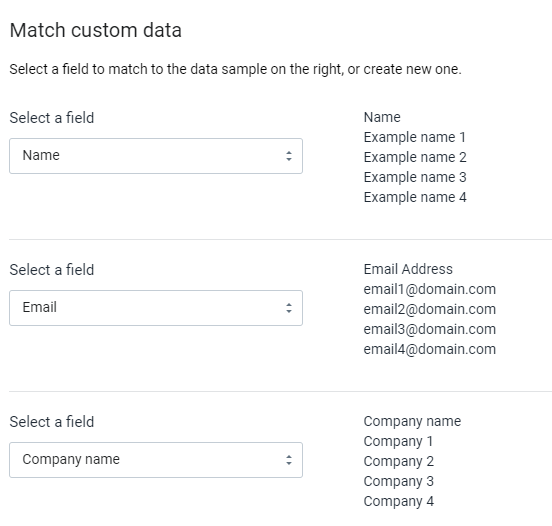
Match the file columns with your subscribers list fields, as shown below:
Click save and continue
If you need any further information or assistance please contact our support team at support@touchbasepro.com
Frequently asked questions
- What file formats can I use to import subscribers in TouchBasePro?
- Accepted file types are XLS, CSV, and TXT.
- Do I need permission before importing subscribers?
- Yes. By adding people to a subscriber list, you are asserting that you have permission to email them. Importing subscribers without their permission may result in the immediate termination of your account.
- What do I do if I don't have a subscriber list yet?
- If you don't already have a list, create one first before attempting to import subscribers.