How to Use Images in the TouchBasePro Email Builder
Upload your own images, browse stock photos, or generate AI images in the TouchBasePro email builder. Covers supported formats, file size limits, and recommended resolutions.
In this article, we will cover the following topics:
- Uploading images
- Supported imagery
- Image resolutions
- Stock photos & AI-generated images
Uploading images
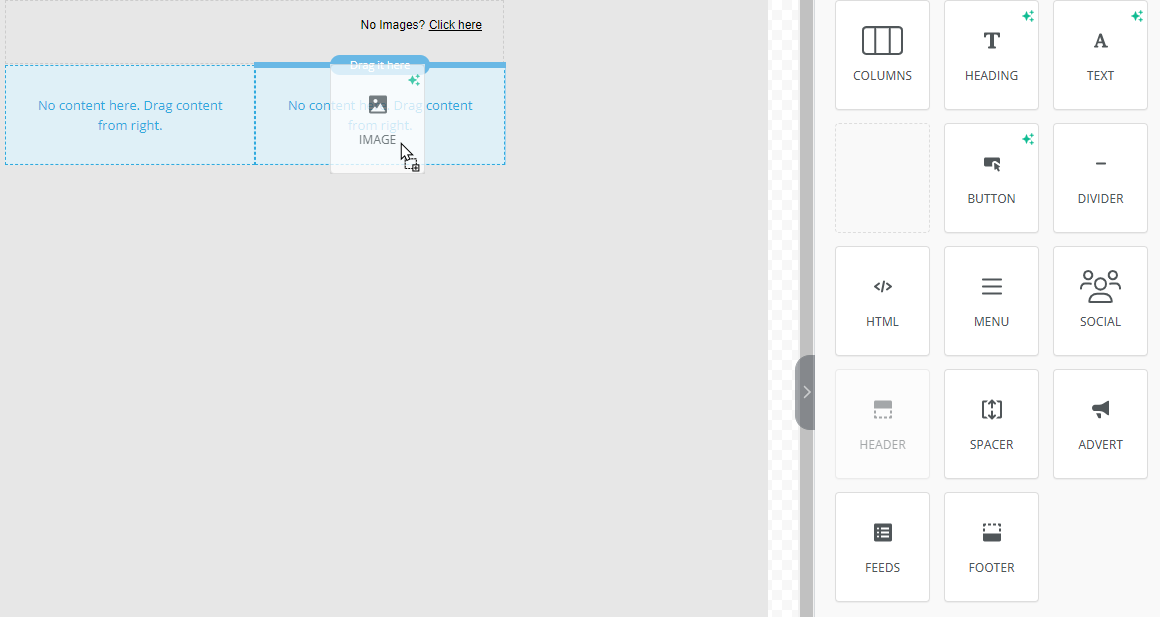
When using our email builder, you can drag and drop an "Image" into a column and then either upload an image, browse our stock library or add an image URL of where the image is hosted.
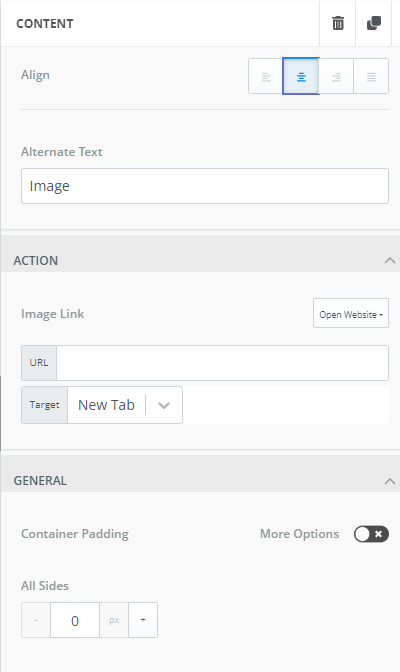
Once an image has been uploaded you can add alternate text, link the image and adjust the image padding.
Supported imagery
The email builder supports images up to 5MB in size. We recommend keeping your file size as small as possible to ensure your emails download quickly and to avoid being blocked by email servers.
Our builder supports the following file formats:
- PNG
- JPEG/JPG
- GIF
Image resolutions
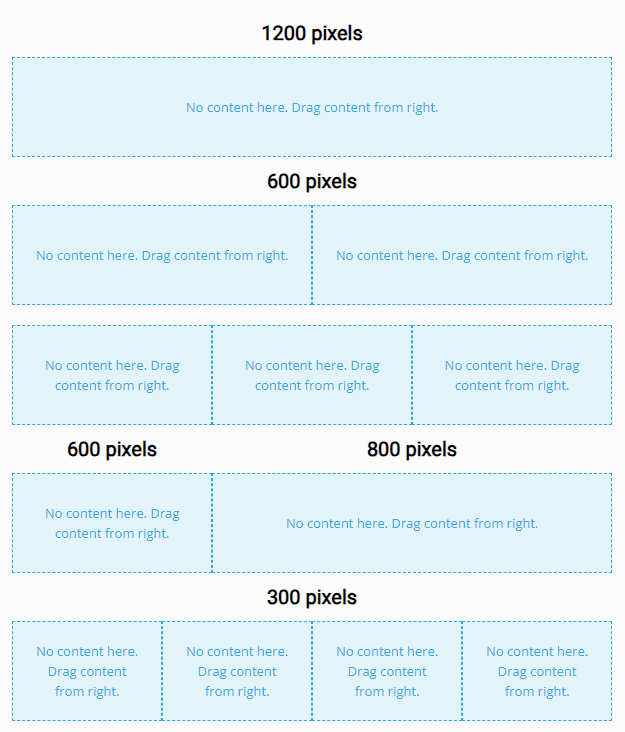
Our email builder supports images with high resolutions, however, we recommend that upload images based on the widths shown below for the best results:
Stock photos & AI-generated images
Instead of uploading your own images, you can browse our stock photos or even generate your own images using our AI image generator.
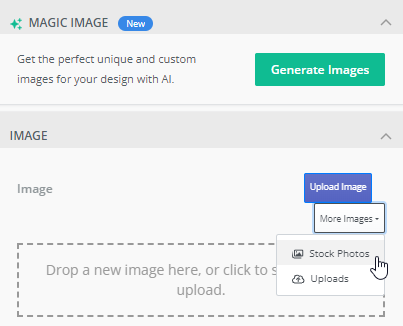
Follow the below steps to add a stock photo to your design:
- Drag and drop the “Image” content block into your design
- On the right-hand side menu bar, select the more images drop-down menu
- Select the option "Stock Photos"
- Use our search function to find the perfect stock photo for your email design. Please note that all stock photos are free to use and licensed under Creative Commons Zero.
Follow the below steps to add an AI generate image to your design:
- Drag and drop the “Image” content block into your design
- On the right-hand side menu bar, select the "Generate Images" button
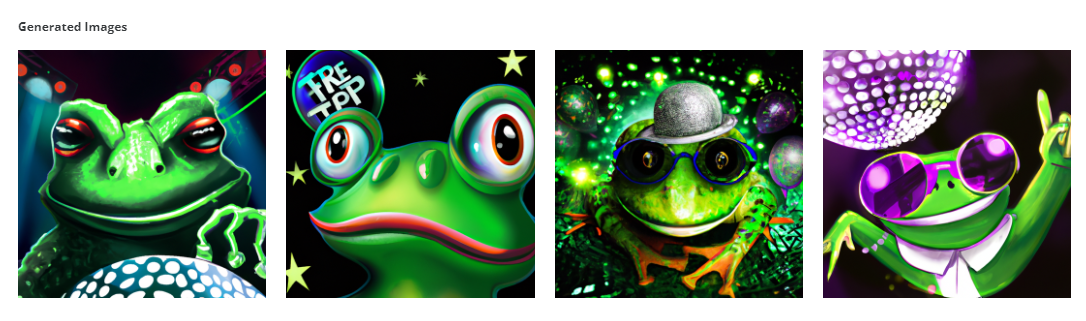
- Add your text prompt. You need to explain in detail what you would like AI to create. For example, a modern expression of a green frog at a disco
- Select your style for the image
- Select your image or edit your prompt
If you need any assistance with our email builder images, please contact our support team on support@touchbasepro.com
Frequently asked questions
- What image file formats does the TouchBasePro email builder support?
- The email builder supports PNG, JPEG/JPG, and GIF file formats.
- What is the maximum image file size I can upload?
- The email builder supports images up to 5MB in size. Keeping your file size as small as possible helps emails download quickly and avoids being blocked by email servers.
- Can I use stock photos in the email builder without paying for a licence?
- Yes. All stock photos in the email builder are free to use and licensed under Creative Commons Zero.
- How do I generate an AI image in the email builder?
- Drag and drop the Image content block into your design, select the Generate Images button on the right-hand side menu bar, add a detailed text prompt describing what you want, select your style, then select your image or edit your prompt.